The overlay
The same comps and numbers this site publishes, drawn over the game on your phone.
Updated 28 Sep 2026, 15:20 UTC · Patch 18.3
Version 0.45.0-public · 19.2 MB · 28 September 2026 · Android 8.0 or newer, 64-bit
What changed
The app now opens on tftcodex.com: pick any comp on the site and it goes straight onto the overlay, and the app's settings are a page there too. Stages shows the board at every level from 4 to the end: the levels games end on come from real games, and the lower ones are planned by rule and say so. Our comps have their Board section back, champion portraits come from our site, and the comp list loads faster and holds still while pictures arrive.
What it does
You pick a comp; it keeps that comp’s board, items and traits on screen while you play. When an augment choice comes up it reads the three on offer and marks the ones that fit your comp: a trait augment with how this comp placed at that trait level, measured from the same games as the site, and the rest by a rule of thumb (damage type, reroll or not). Riot publishes no augment results, so there are no augment win rates. How the numbers are made covers the method.
It is an overlay, not a bot: it reads the screen and draws on top of it, and it never touches the game or plays for you.
In a real game
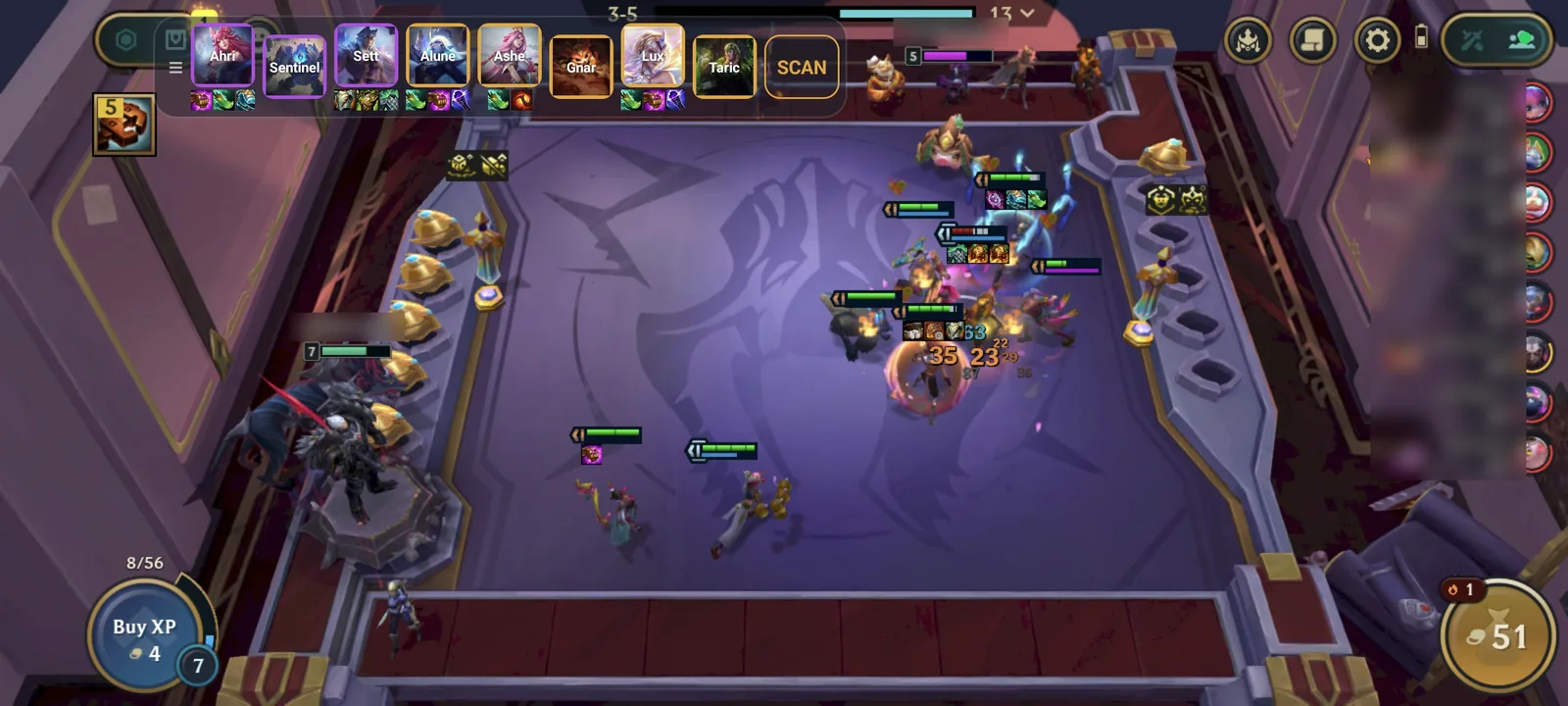
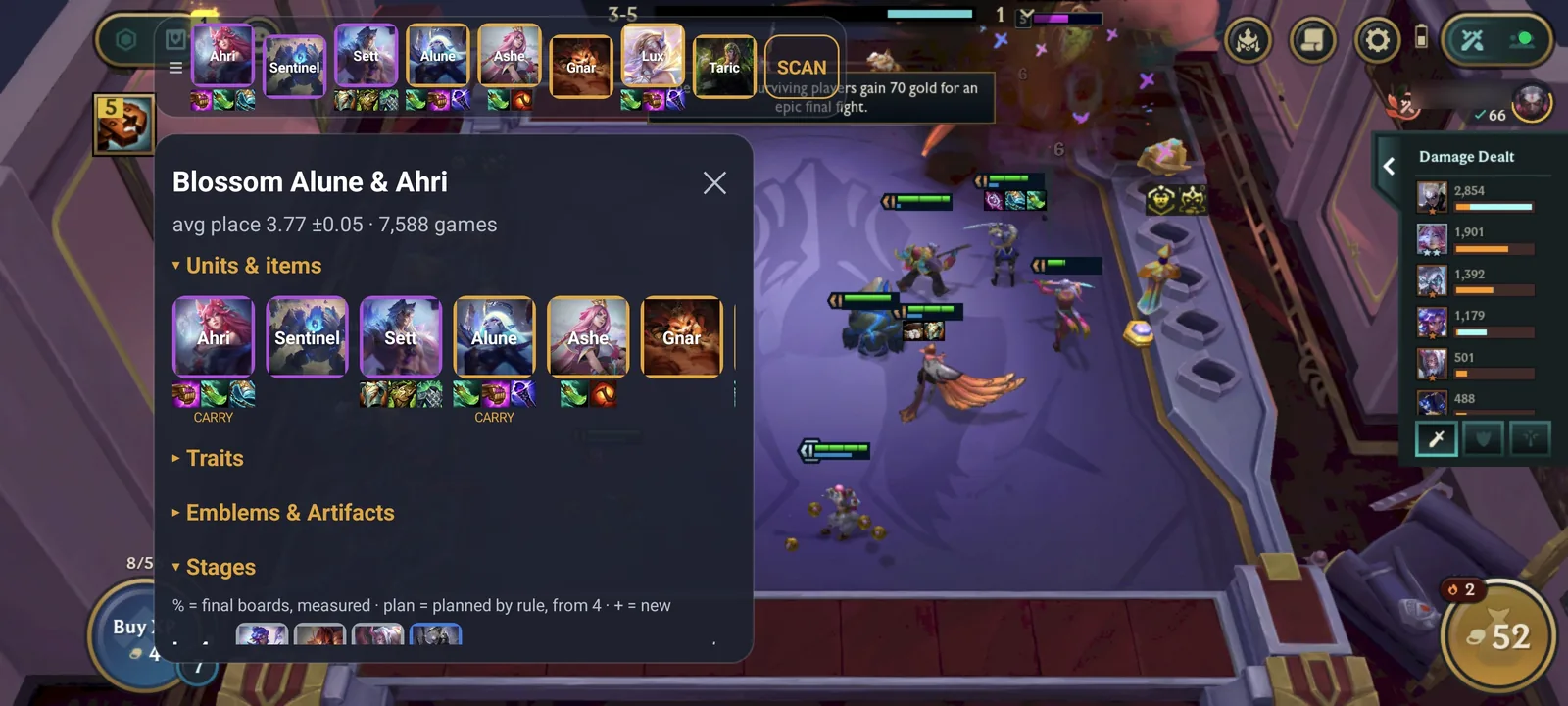
Screenshots from a real game on a phone, with every player’s name blurred.
Installing it
It needs Android 8.0 or newer on a 64-bit phone: the APK holds 64-bit code only, so a 32-bit phone answers “App not installed” without saying why.
Android only, and not on Google Play — so your browser will ask whether to allow installing apps from it, and Play Protect will show a warning about an app it has not seen before. Both are what Android does with every app that does not come from the store. You will need to allow the overlay to draw over other apps, and accept Android’s screen-recording prompt the first time you start it.
What it asks for
- Draw over other apps — the overlay itself: it is drawn on top of the game while you play.
- Screen capture — how it reads the augment and anvil choice screens, so it can mark which options fit your comp. Android shows its own recording notice the whole time, and every frame is read on your phone and stays there.
- Run in the background — so it keeps reading while the game is in front. It stops when you stop it.
- Notifications — the notice Android requires a background service to show.
- Install packages — so it can offer its own updates, since there is no store to do it.
- Internet — to fetch the comp snapshot and champion art. Nothing is sent up.
What it sends
There is no account and nothing to sign in to. The app shows this site’s pages and downloads the comp snapshot from it, and champion art from Riot’s own data files, and that is every request it makes; no screenshot, no match and nothing about your device is ever uploaded. It carries no analytics, no crash reporting and no advertising.
The site is a separate thing and does measure visits, with your consent — the privacy policy says what and how.
Checking what you downloaded
A file handed out by a website, to be installed by hand, should be checkable. This is the SHA-256 of the APK above; the app verifies it too before it installs an update of itself.
483da09a712cb9809b5ac27a89ae7975a02a5493870f28dedfe0f11f7b55eaf8